Architecture Modules Reporting Brochures Contact REQUEST A DEMO →
AI Security Platform That Runs Locally

From entrance to exit,
a system that understands every frame.

Face recognition, weapon/knife detection, perimeter protection and crowd analysis in a single panel. A security infrastructure that sends no footage to the internet and runs entirely on your local network.

100%LOCAL PROCESSING
10INTEGRATED MODULES
0DATA SENT TO THE CLOUD
24/7AUTOMATIC REPORTING
Architecture

Not a single bit of data
leaves your network.

Cameras, the analysis engine, the built-in AI and the database all run on the same local network, as a fully closed, inline system. It is designed to work at full capacity even without an internet connection.
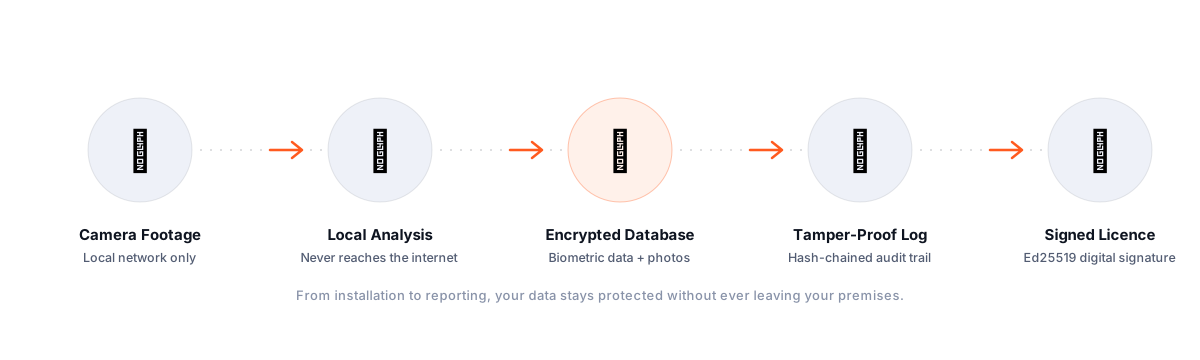
Vision X Future data protection architecture: camera footage, local analysis, encrypted database, tamper-proof audit trail, digitally signed licence
🔒A1

Closed-Circuit Architecture

IP cameras connect through a PoE switch directly to the server that runs the system. Footage is never sent to external servers at any stage; the system runs fully inline and closed to the outside.

⚡A2

GPU-Accelerated Analysis

Face recognition and threat detection run on the local GPU in milliseconds, with no cloud API latency and no risk of outages.

🧠A3

Built-In AI Engine

Functions such as natural-language log search and incident summaries are powered by an AI model that runs entirely on site. No query or data is sent outside, not even for model inference.

🧾A4

Encrypted & Tamper-Proof Log

Every event is written to a hash-chained audit trail and sensitive data is protected with strong encryption. If the database is altered from outside, the chain breaks and the system detects it immediately.

🧬A5

Biometric Data Encryption

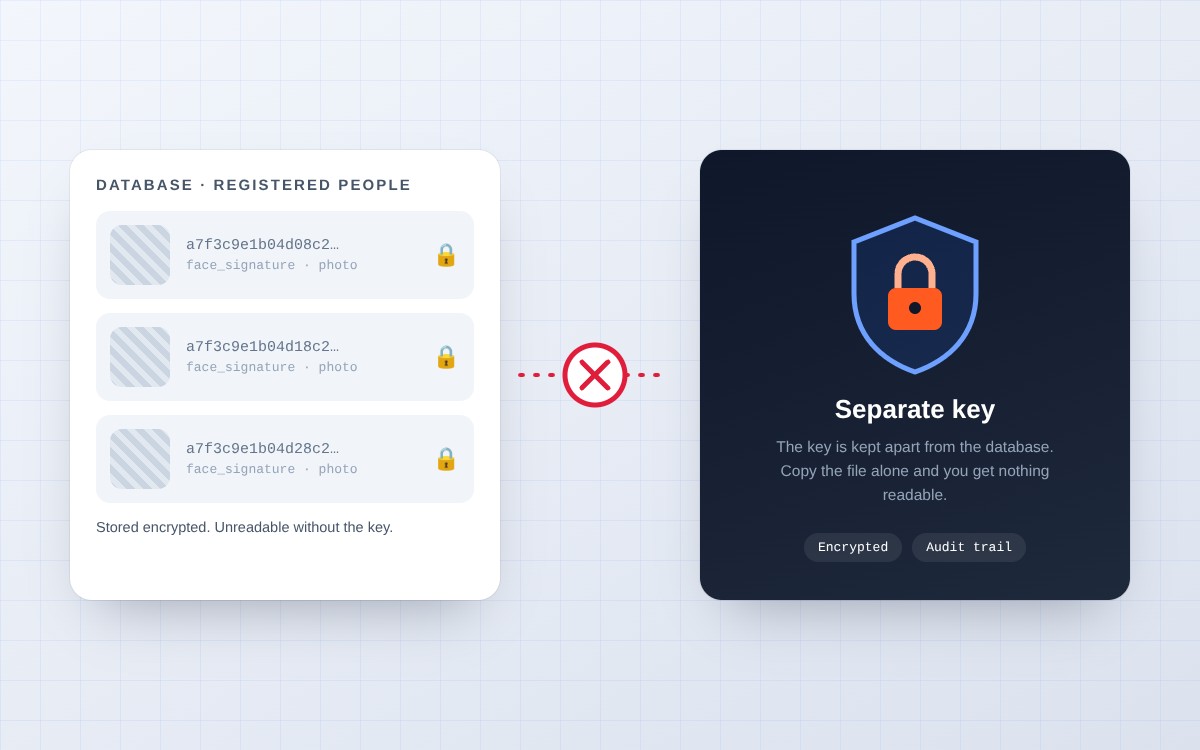
Face recognition signatures and photos of registered people are stored encrypted in the database with a separate key. Even if the database file alone is captured, no biometric data can be read without the encryption key.

🔏A6

Digitally Signed Licence & Updates

Licensing and software updates are verified with an Ed25519 digital signature, and the private key is never included in the installation. An unsigned or forged update package is never applied to the system.
Modules

One panel,
ten separate security disciplines.

Each module can be switched on or off independently and has its own cameras and rules. Run only what you need.

M-01
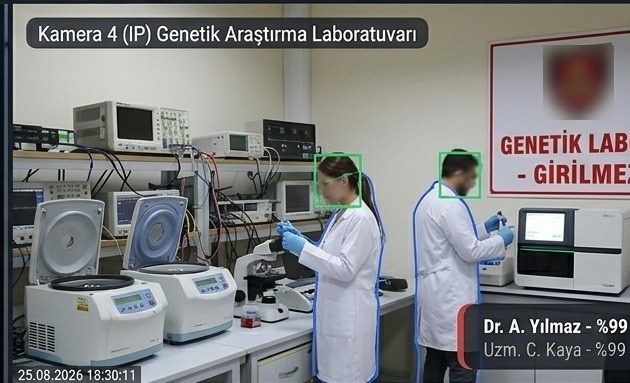
Door Access Control — screenshot of the real system 🚪
Core

Door Access Control

Recognises every person passing through a door in real time, classifies them as authorised, unauthorised or unknown, and creates a record with a photo. Each camera can have its own identity list and rules, and multiple entry points are managed from the same panel.

  • Instant identity verification with face recognition
  • Face-covering / camera-avoidance detection
  • Automatic entry/exit logging with photo evidence
  • Today's summary: total passages, number of unknowns, most frequent visitor
M-02
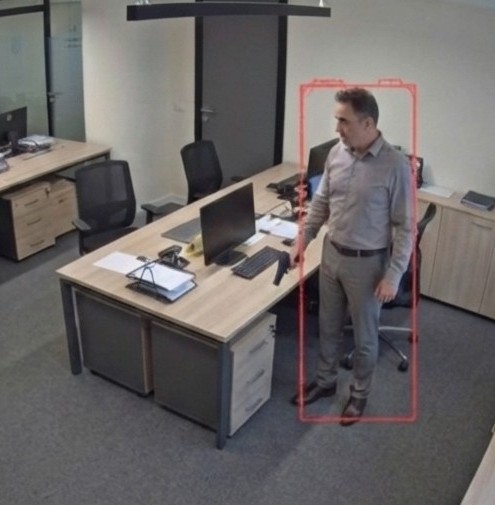
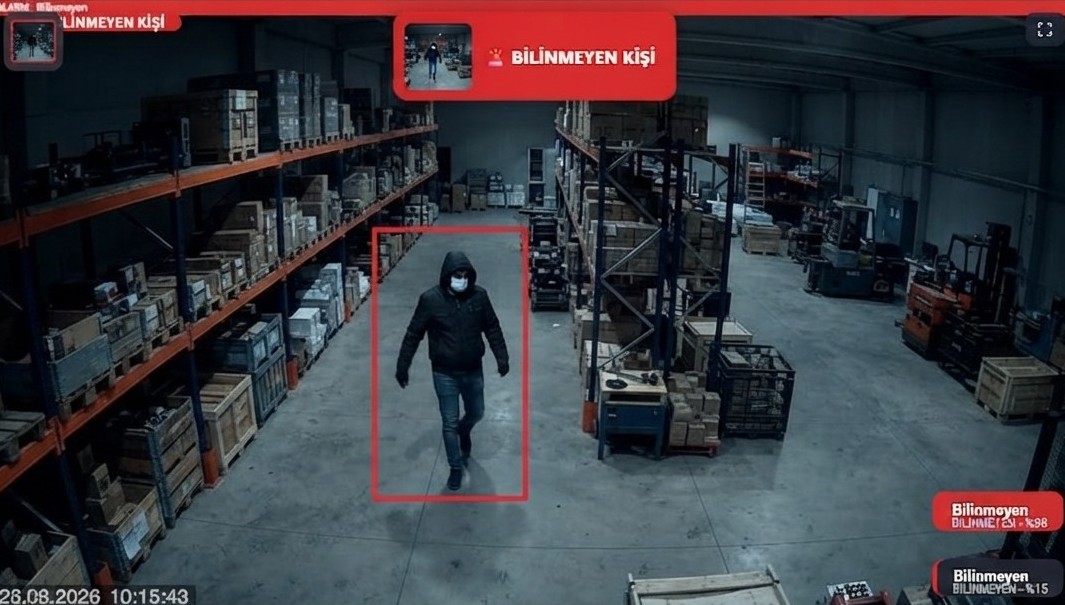
Perimeter Protection — screenshot of the real system 🛡️
Core

Perimeter Protection

Monitors open areas, warehouses and restricted sites with zone-based authorisation and reports at once when someone without access enters. Each zone carries its own authorised list, so a person can be allowed in one zone and unauthorised in another.

  • Zone-specific authorised list
  • Detection of several people at once
  • Face-covering / camera-avoidance detection
  • Independent rule set per camera
M-03
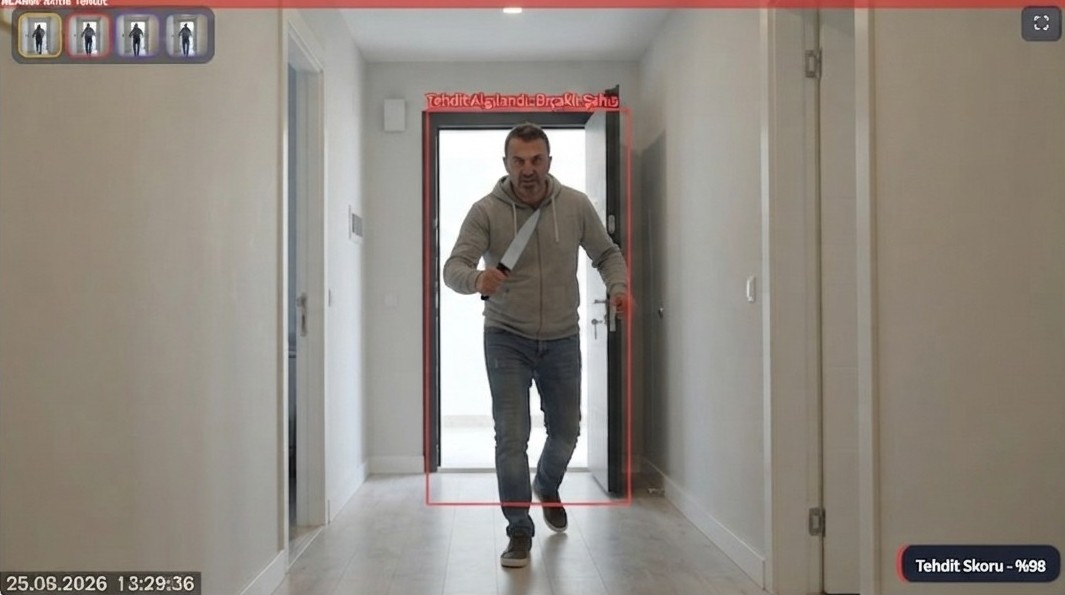
Weapon / Knife Detection — screenshot of the real system 🔪
Priority Security

Weapon / Knife Detection

The moment a weapon or knife appears in the image, the system automatically puts that camera into "high-risk area" mode: it increases the scan rate and lowers the full-alarm threshold so a second sighting is caught much faster. A silent evidence record is saved even at the first sighting, so no scene disappears without a trace, even if nobody stays in front of the camera for more than a few seconds. It runs on a locally trained, continuously improved image recognition model.

  • Evidence photo + timestamp the moment it is seen
  • Higher scan rate in high-risk area mode
  • Double-verification logic that reduces false alarms
  • Separation by type: weapon / knife, reported separately
M-04
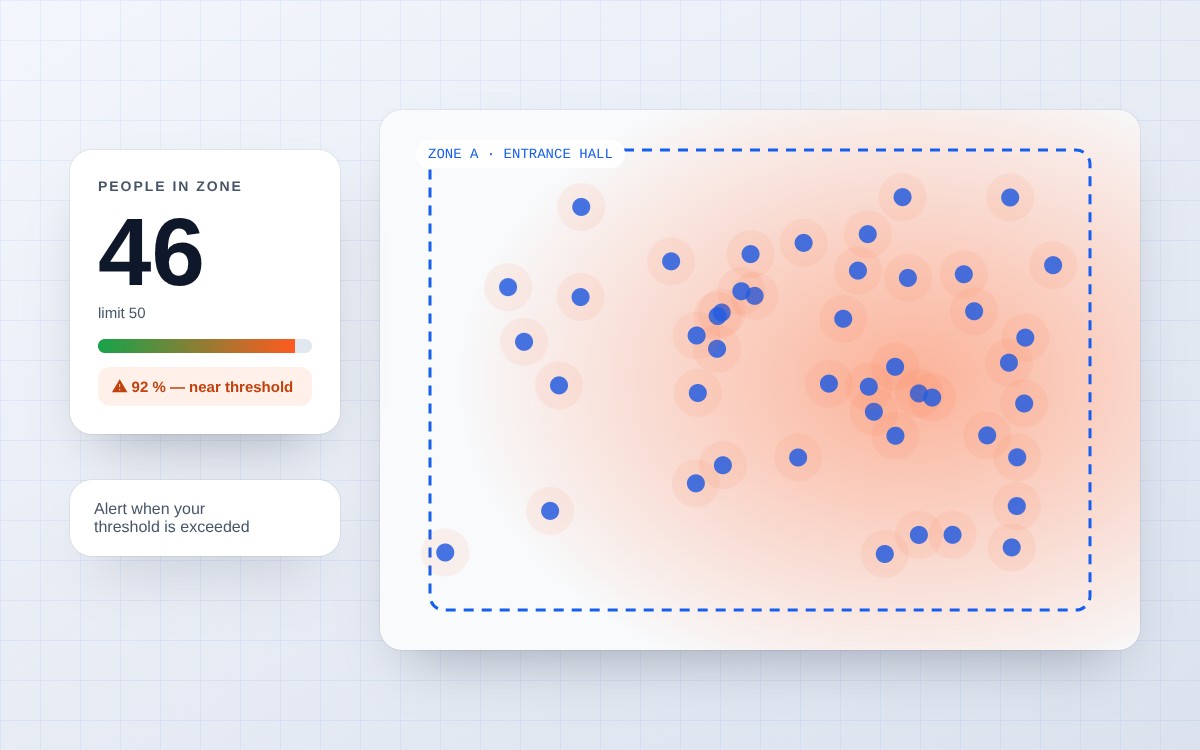
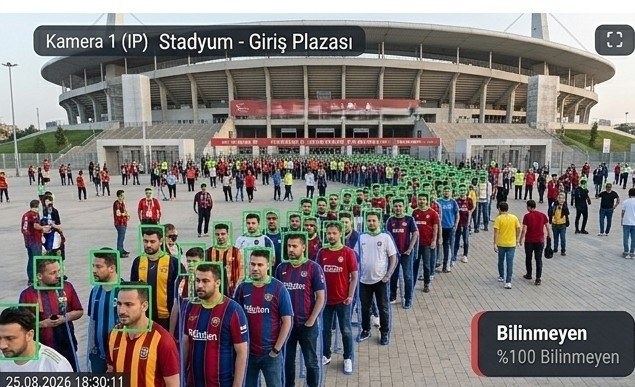
Crowd Counting — illustration 👥 Sample view
Analytics

Crowd Counting

Measures the live density of people in an area and alerts you when your threshold is exceeded, providing density management for event areas, entry points and shared spaces.

  • Zone-based density threshold
  • Live density chart and historical trend

Note: The image is a sample illustration of how the feature works; it is not a real scene or measurement data. Counting accuracy varies with camera angle, lighting and crowd density.

M-05
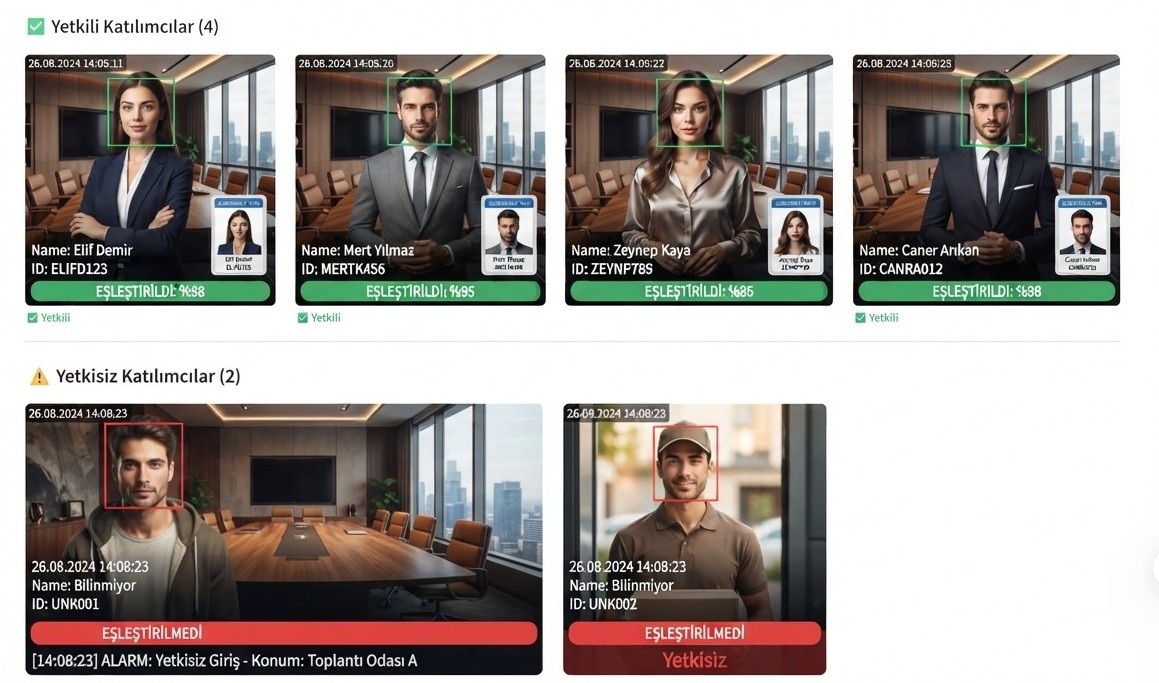
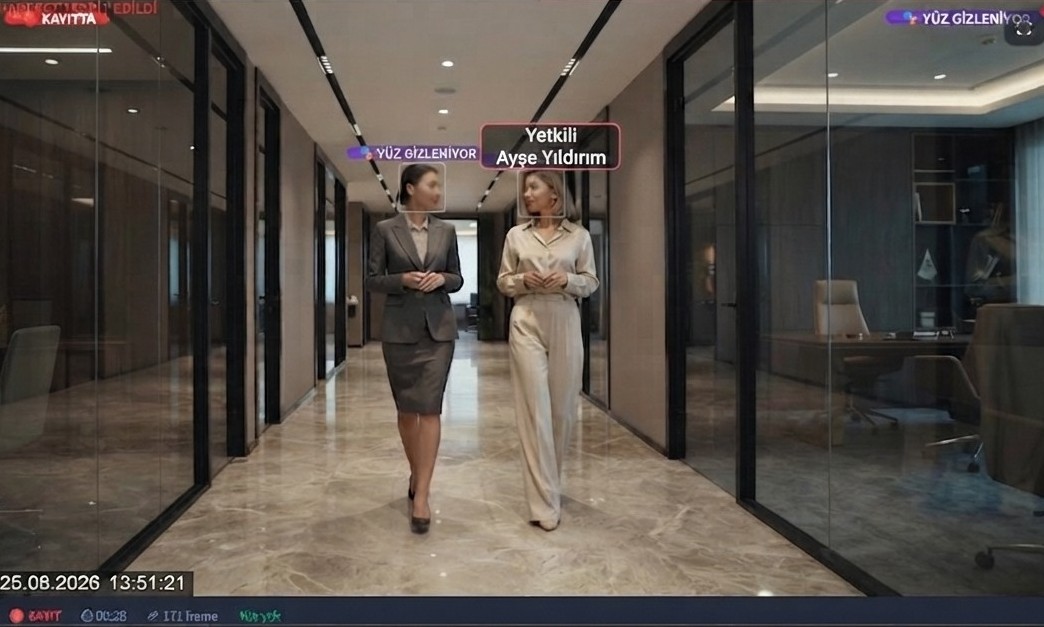
Meeting Mode — screenshot of the real system 🏢
Enterprise Priority

Meeting Mode

Recognises every participant in the meeting room automatically as soon as the camera starts, separates authorised from unauthorised people and builds a live attendance list, with no need for a manual sign-in sheet, QR code or hand-entered attendance. When an unauthorised or uninvited person enters the room, the system notices at once and notifies the relevant team; participants who hide their face from the camera are flagged separately. Each meeting is recorded with its own start and end timestamps and can be compared with past attendance data.

  • Automatically recognises everyone the camera sees within seconds
  • Authorised / unauthorised / unknown participant separation, with photo evidence
  • Instant detection and alert for face covering or camera avoidance
  • Automatic attendance list per meeting and an attendance continuity report
  • Attendance trend analysis against past meeting data
  • Room-based authorised list, where each meeting room has its own rules
98.5%Recognition accuracy
<1 secAverage recognition time
InstantAutomatic attendance output
24/7Recording & audit trail
M-06
Video Recording — screenshot of the real system 🎥
Recording

Video Recording

Automatically records the moments an alarm is triggered. It creates directly viewable evidence clips that include the seconds before and after the event and links them to the alarm history.

  • Event-triggered automatic recording
  • Video evidence of face-covering moments
M-07
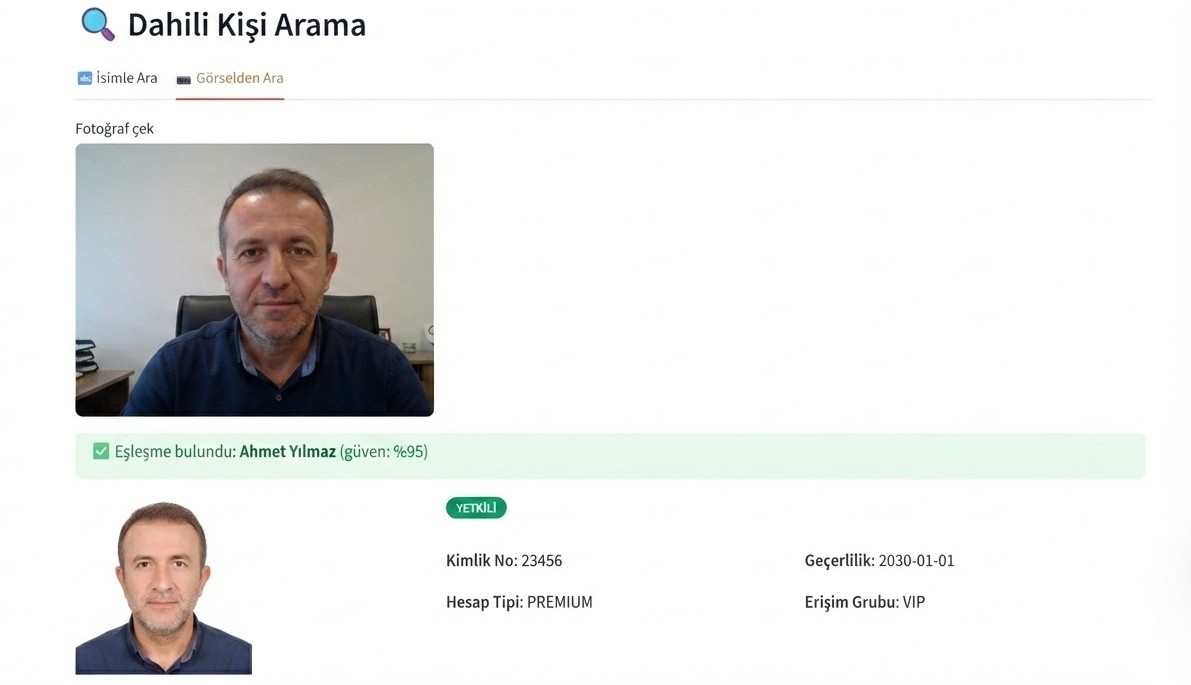
Person Search — screenshot of the real system 🔍
Query

Person Search

Queries the passage and alarm history of people registered in the system's own database: through which door and when a person passed, and in which zones they were seen. No image is sent outside and no web or social media search is performed.

  • Internal database only, no external API
  • Per-person history timeline
M-08
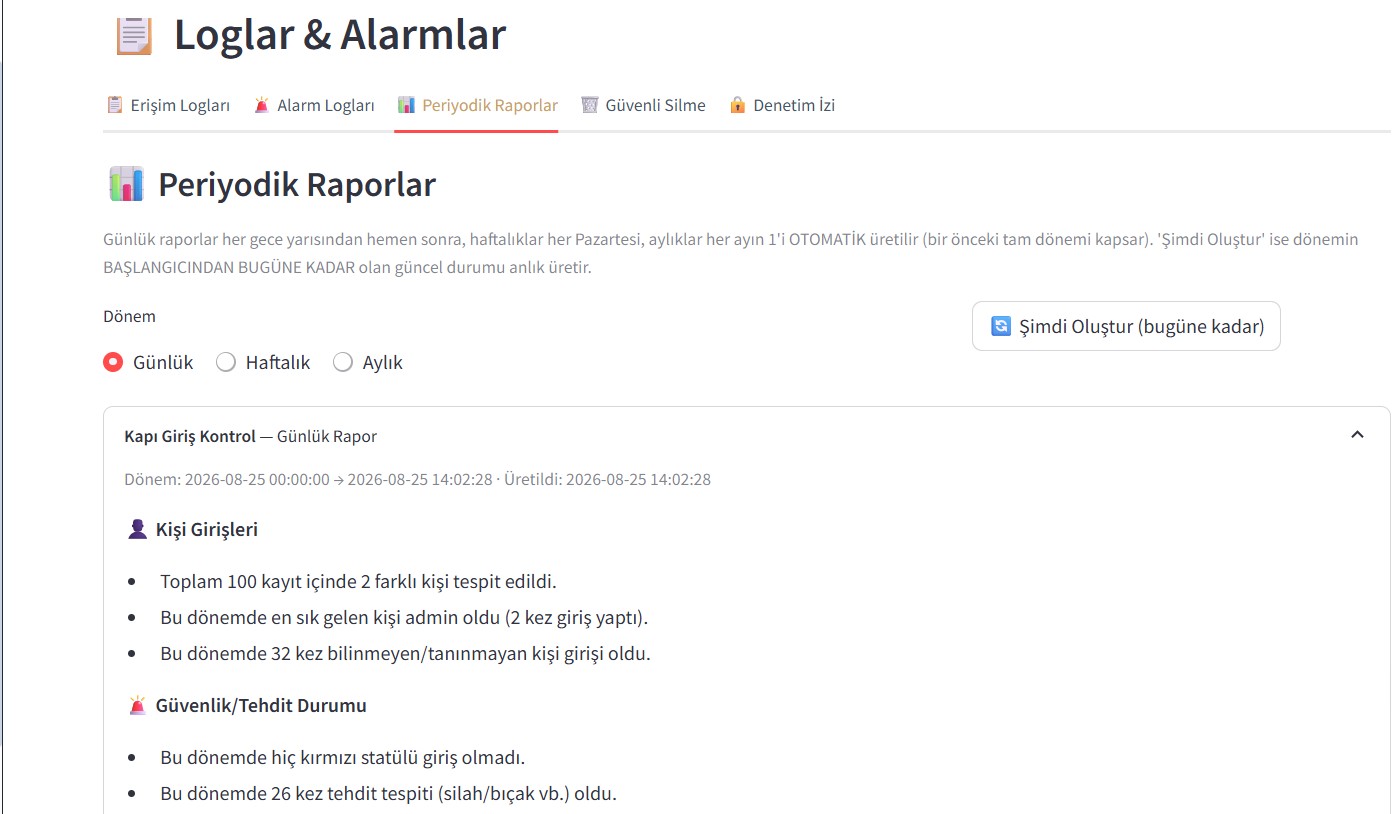
Logs & Periodic Reports — AI-assisted reporting, screenshot of the real system 📊
Reporting

Logs & Periodic Reports

Automatically produces daily, weekly and monthly summaries every night, every Monday and at the start of every month, with exact figures and a tamper-proof audit trail. Monthly reports adjust to the calendar: on the 23rd of the month they cover days 1-23, and on the last day they cover days 1-30/31.

  • Hash-chained audit trail that cannot be deleted
  • Automatic period calculation based on the calendar
  • Additional verification with an external checkpoint
M-09
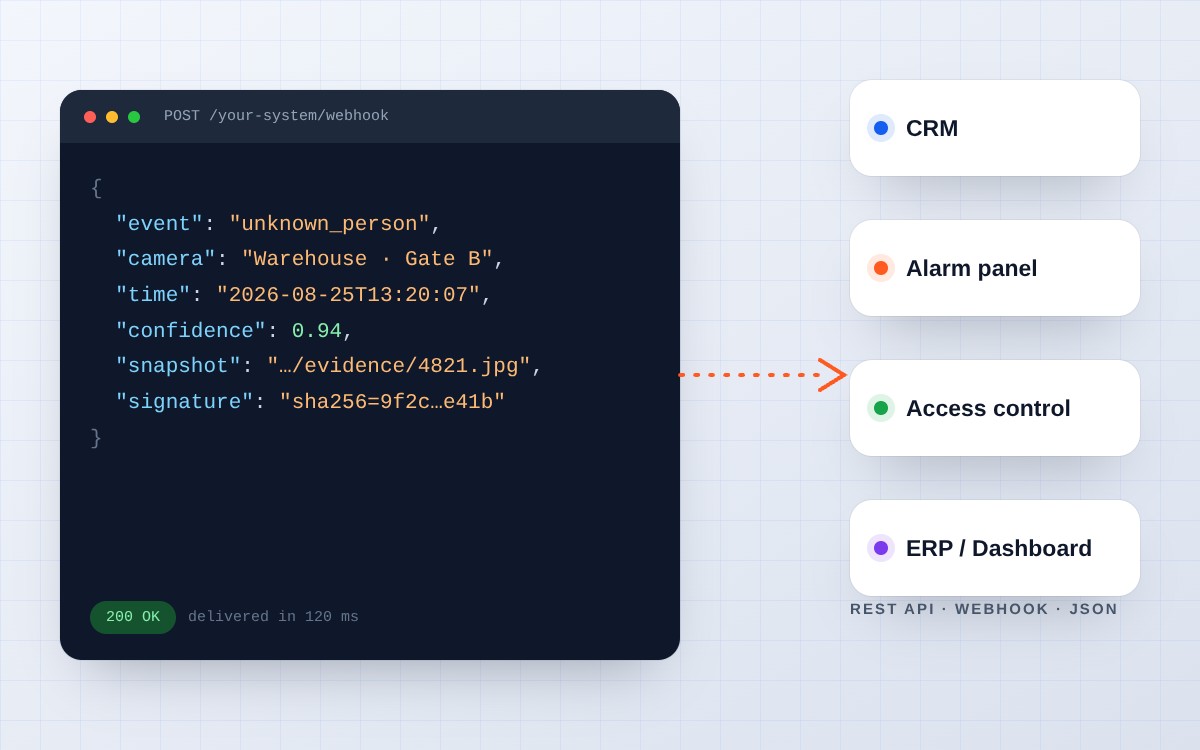
API & Webhook — illustration 🔌
Integration

API & Webhook

Create a key to control the system from outside, and when an alarm is triggered send an instant notification to your own server, n8n or Zapier. Automate actions such as unlocking a door, sending an SMS or saving to Excel.

  • Event-based webhook triggering
  • Documented REST API (Swagger interface)
M-10
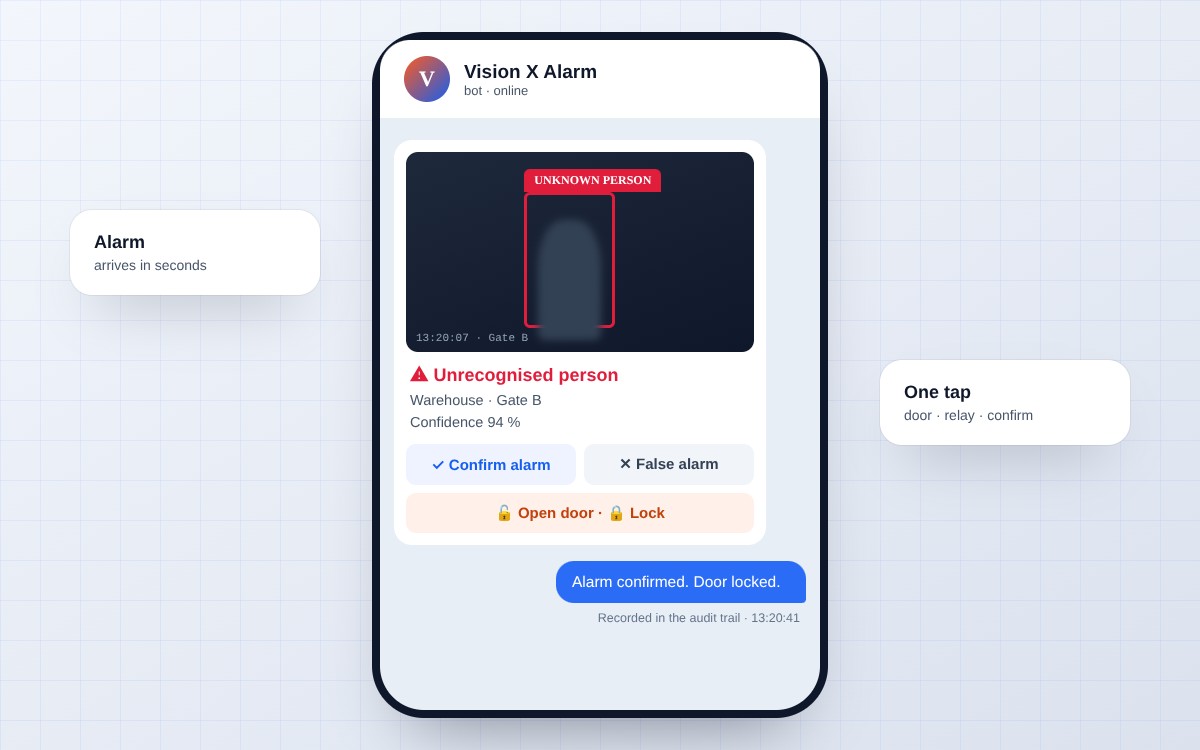
Two-Way Telegram Interaction — illustration
Remote Response

Two-Way Telegram Interaction

When an alarm is triggered, the notification is not one-way. The manager responds directly in Telegram with the buttons under the incident photo: unlock or lock the door remotely, confirm the alarm or dismiss it as a false alarm. You respond at the moment of the event, from your phone with a single tap, without ever opening the panel.

  • Confirm/reject buttons built into the alarm notification
  • Remote door/relay trigger with a single tap
  • Manager actions are also recorded in the audit trail
Instant response at the moment of the event — illustration
Featured

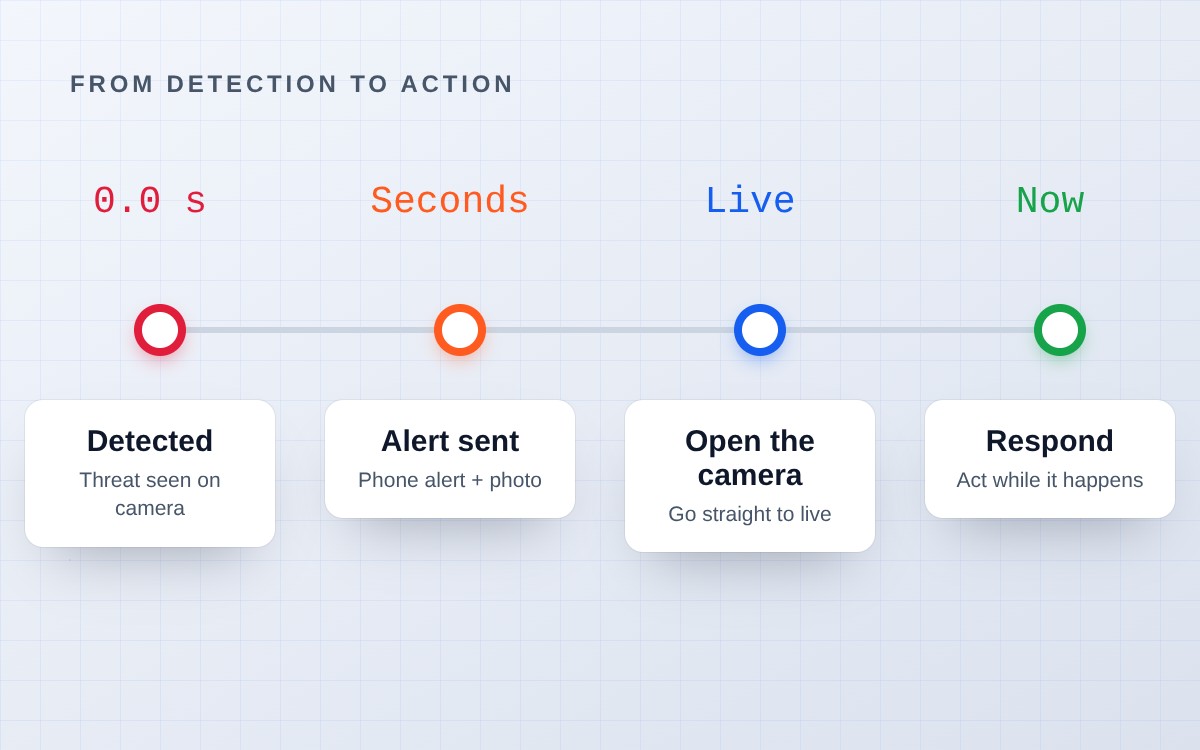
Know While It Happens, Not After It Is Over

You do not rewind recordings to find out "what happened". The second a threat appears on camera, it is on your phone. Vision X Future cuts the time between detection and notification to almost zero, so you can act while the incident is still going on, not after it has ended.

  • Detection → notification: within seconds, without delay
  • Jump straight to live footage at the moment of the event
  • Time to react, not time spent waiting to respond
Encrypted biometric data security — illustration
Featured

Take Your Security to the Top with Encrypted Photo Storage

The faces and photos of registered people are not kept in the database as plain text but encrypted with a separate key. Even if the database file alone is obtained, whether copied, stolen or leaked, none of the biometric data inside can be read without the encryption key.

  • Face signature and photo, encrypted with a separate key
  • Data cannot be read even if the database alone is obtained
  • In line with the KVKK Art. 6 principle of protecting special categories of data
What's New

Run the door too:
relay, approval and record in one hand.

Go beyond recognition; bring the decision to the door and the approval to your phone. Three new features, all working by your rules.

Door opening by status — illustration 🚪
New

Door Relay: Automatic Opening by Status

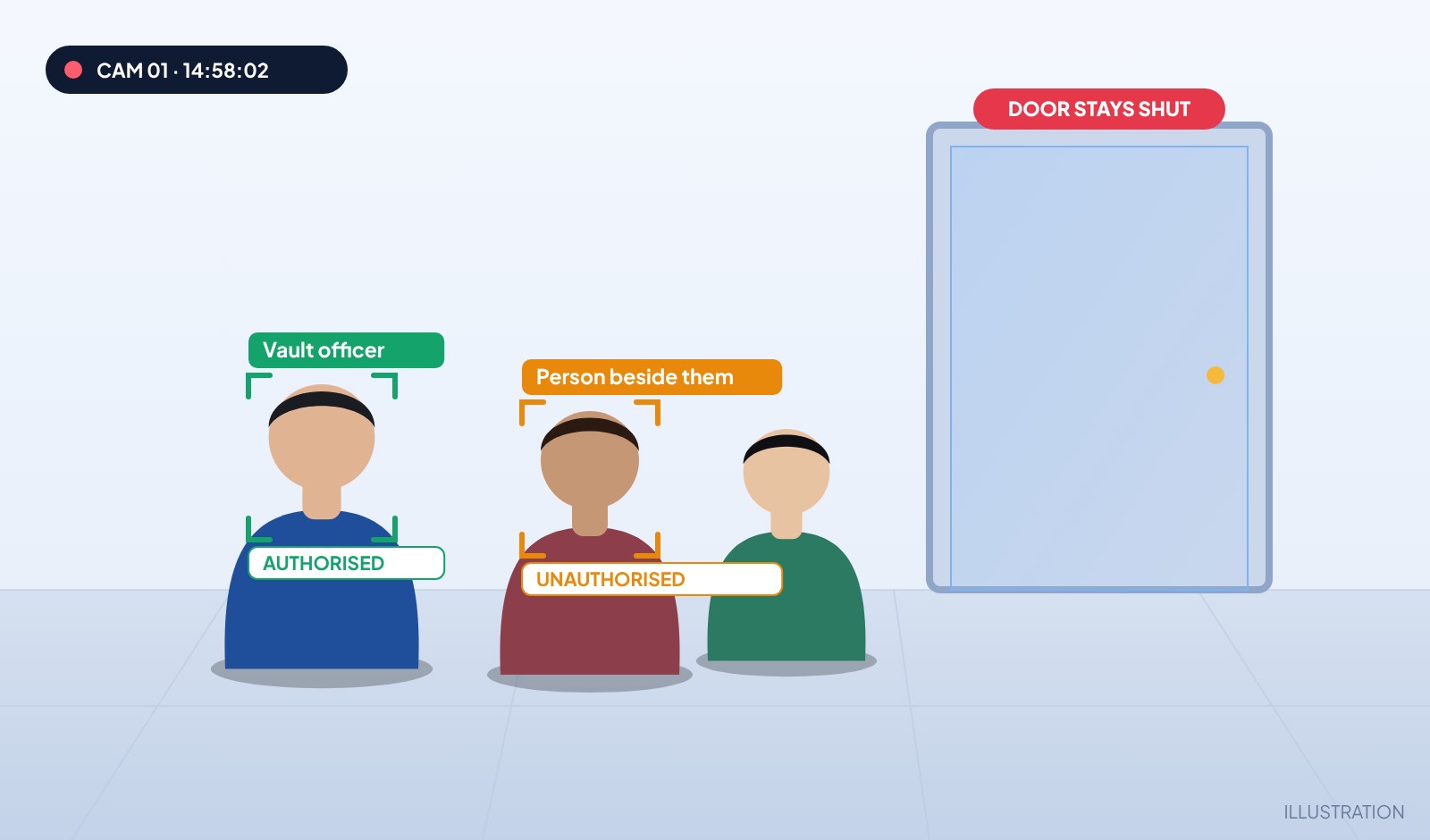
When an authorised person arrives the door opens by itself; if an unauthorised person is beside them it stays shut. You decide which status opens which door.

  • Up to 4 named doors, each with its own rule
  • Default rule “open only when alone”
  • Network (HTTP) or USB serial relay support

Note: The image is an illustration. Relay and lock hardware is optional; VXF only sends the command, device choice and physical installation belong to the customer.

Respond — two-step confirmation, illustration 📲
New

Respond: Two-Step Confirmation

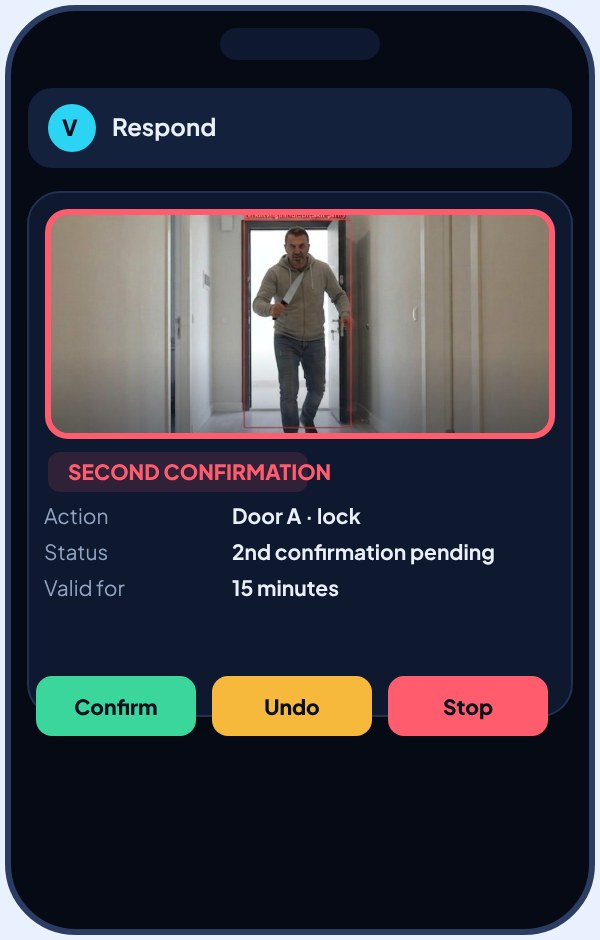
When an alarm arrives, the administrator picks one of the predefined actions in Telegram; it runs only after a second confirmation and can be undone.

  • Up to 3 named actions
  • Second confirmation, valid for 15 minutes
  • Stop / Undo, recorded in the audit trail

Note: The action name in the image is an example; the customer defines actions and connected devices.

Clear Face Gallery — illustration 🧑
New

Clear Face Gallery

A clear face photo of everyone passing is stored separately; unregistered people can later be found with Past Face Search.

  • Past Face Search → Clear Faces
  • Switched on in Settings; 30-day retention by default
  • Oldest records are deleted when the GB limit is reached

Note: The image is an illustration; processing of personal data is subject to the institution’s KVKK procedures.

Critical Sites

Some doors
are not ordinary.

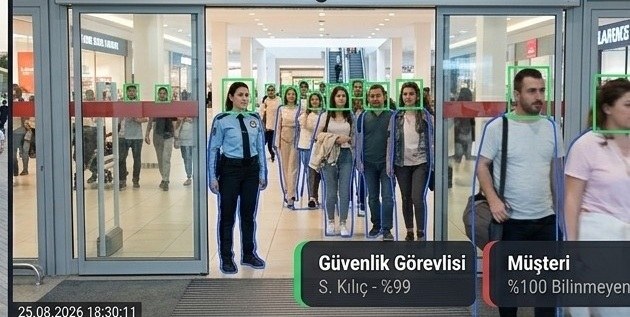
From stadium to bank vault, courthouse archive to data centre: know who walks in at critical sites, record it, stop it when needed.

Stadium entrance — illustration

Stadium

Spot the banned person at the turnstile, before they enter.

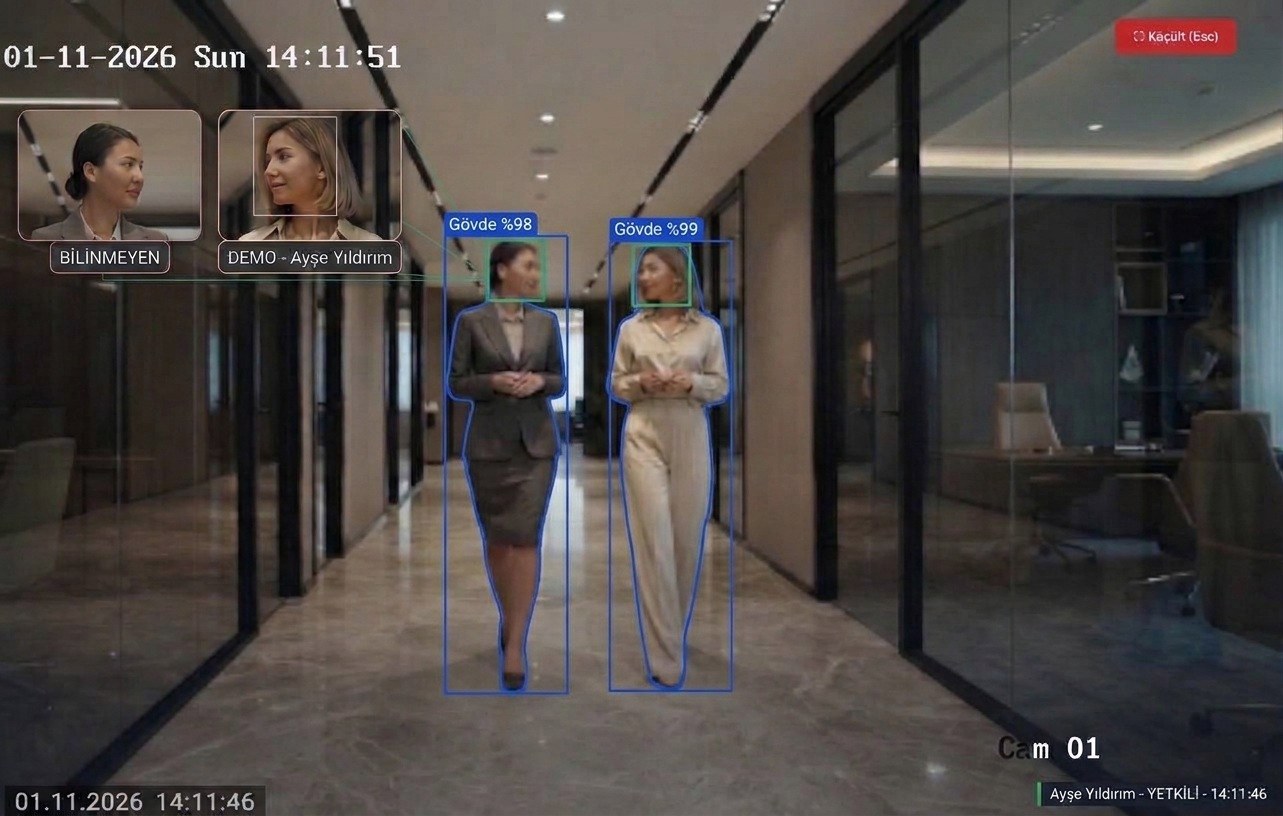
Courthouse and archive corridor — illustration

Courthouse · Treasury

Everyone entering the file and evidence room is on record.

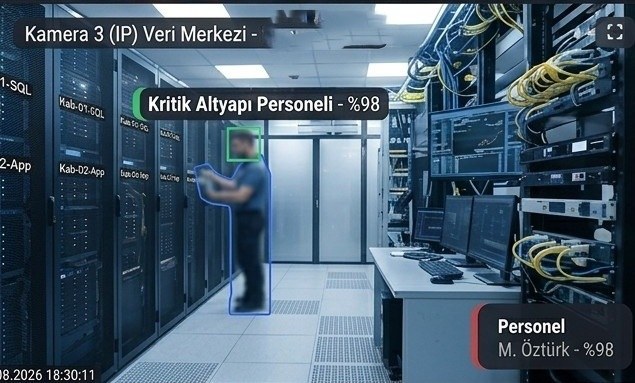
Data centre — illustration

High security

Closed-circuit access control where no data leaves.

Laboratory — illustration

Laboratory · R&D

Only the project team enters the sensitive area.

Images are illustrative examples, not real people, institutions or camera footage. The scenarios PDF also covers banks, hospitals, airports and more.
Reporting

Numbers that are always
exact, always verifiable.

Periodic reports are produced with fully deterministic calculation, and no figure is estimated or rounded. Monthly reports are calculated automatically from the calendar: if today is the 23rd, the report covers days 1-23, and if it is the last day of the month, it covers days 1-30/31.

Monthly System Report Generated Automatically
Period01 Aug → 24 Aug 2026
Total passages1,284 records
Authorised entries1,196
Unknown people61
Threat detections3
Report typeMonthly · Automatic
Mobile Notification

Be the first to see the alarm,
on your phone, within seconds.

When a threat is detected, an unauthorised person enters a zone or an unknown person passes through a door, the photo, camera and location of the event arrive on the manager's phone as a push notification with an image. You can see what happened from the lock screen without even opening the app.

  • Notification with an image — the photo of the moment arrives inside the notification, with no extra tap needed
  • Clear context — which camera, which module and which zone triggered it is visible at a glance
  • Instant access — tap the notification to jump to that camera's live view within seconds
  • Priority ranking — critical alarms such as weapon/knife detection and unauthorised site entry are brought to the front
Alarm notification with an image arriving on a phone — screenshot of the real system 📲
Brochures

Download the presentation,
share it with your team.

Available as PDF in English, Turkish and Arabic. Open it on your phone or in a meeting, and share it freely within your organization. For the user guide, see the Guides page.

General overview

Vision X Future Overview Brochure

Face recognition, field protection, meeting mode, encrypted photo storage, API/Webhook and fully closed-circuit operation: the whole system in 12 pages.

12 PAGES · PDF · EN / TR / AR
Special scenarios

Special Scenarios for Critical Places

Stadium entrances, bank vault areas, courthouse and treasury archives, high-security facility rooms and more, each explained with illustrations.

9 PAGES · PDF · EN / TR / AR
Installation

Let us build a security
infrastructure made for your site.

The hardware list and installation plan are prepared together, based on your number of cameras and the layout of your site. Fill in the form and our team will get back to you within 1 business day.

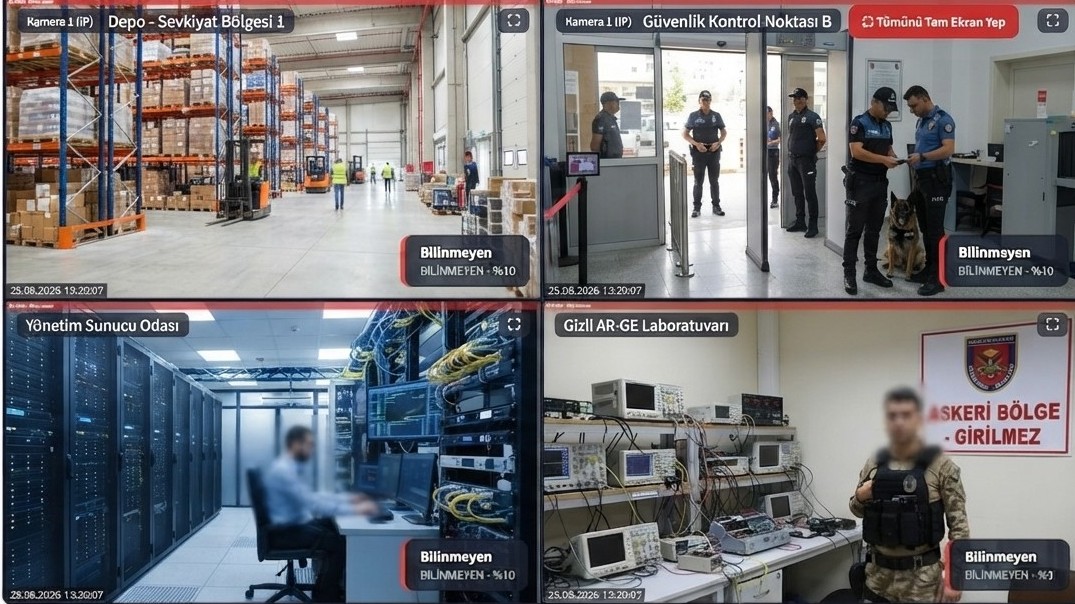
Live multi-camera monitoring in the Vision X Future operations panel — screenshot of the real system
  • Free site survey and needs analysis
  • 24/7 technical support after installation
  • Average installation time of 3-5 business days

The information you send is used only to prepare an installation quote.